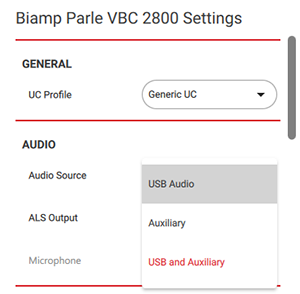
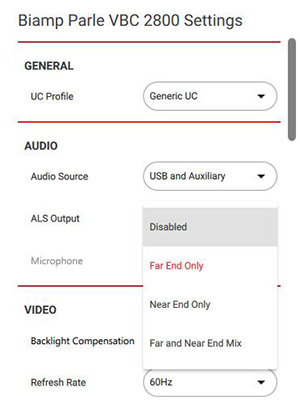
Audio Source (Parlé VBC 2800 only): May be chosen from the list specific to the connected device. Choices are USB Audio, Auxiliary, or USB and Auxiliary.
ALS Source (Parlé VBC 2800 only): Select from 4 choices - Disabled, Far End Only, Near End Only, or Far and Near End Mix. What the person using the ALS device hears varies accordingly. Most of the output levels can be set through network control commands. See the command content in the ALS Source Control section of this help file.
ALS headphone behavior based upon Audio & ALS Source settings: Control command capability for the elements is indicated by (C). The control commands for the microphone input are listed in the Microphone ALS Input Level Control section and the auxiliary input control commands are listed in the Auxiliary Input Level Control section.
| Audio Source | ALS Source | Speaker Output | ALS (Headphone) Output |
| USB | Disabled | USB | None |
| Far End Only | USB | USB (Unmuted and unity gain only) and Far Mic input (C) | |
| Near End Only | USB | Near End Mic only (C) | |
| Far & Near End Mix | USB | USB (C) and both Mics (C) | |
| Auxiliary | Disabled | Auxiliary (C) | None |
| Far End Only | Auxiliary (C) | Auxiliary (C) and Far Mic (C) | |
| Near End Only | Auxiliary (C) | Near End Mic only (C) | |
| Far & Near End Mix | Auxiliary (C) | Auxiliary (C) and both Mics (C) | |
| USB & Auxiliary | Disabled | USB & Auxiliary (C) | None |
| Far End Only | USB & Auxiliary (C) | Auxiliary (C) & USB (unmuted and unity gain) and Far Mic (C) | |
| Near End Only | USB & Auxiliary (C) | Near End Mic only (C) | |
| Far & Near End Mix | USB & Auxiliary (C) | Auxiliary (C) & USB and both Mics (C) |
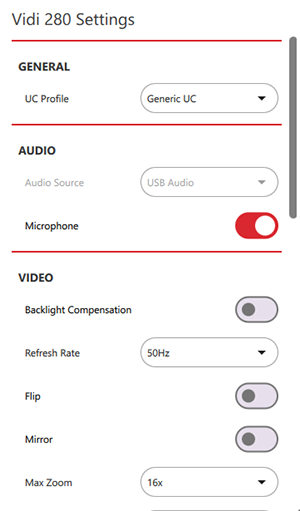
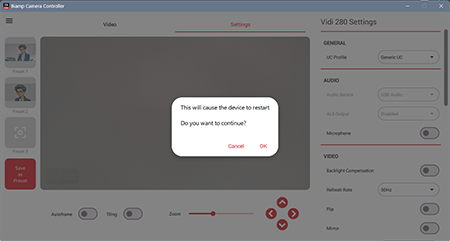
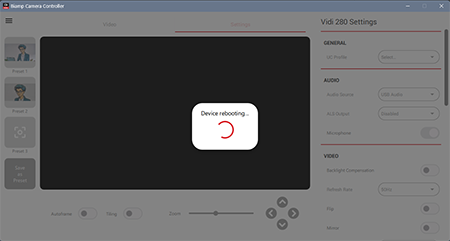
Microphone (Vidi 250 & Vidi 280 only): Toggle the microphone On/Off - red indicates ON. The camera will automatically reboot with any change (mic enabled or disabled). A pop-up will prompt you to proceed or not.
Note: The microphones are always ON on the Parlé ABC & VBC conferencing bars, and cannot be toggled off.